 StyledEdit
| Deskbar: | ||
| Position: | /boot/system/apps/StyledEdit | |
| Inställningar: | inga |
StyleEdit är Haikus enkla textredigerare. Fastän filer sparas som ren text, sparas även utökade attribut för att möjliggöra enklare formatering när de visas med StyleEdit.
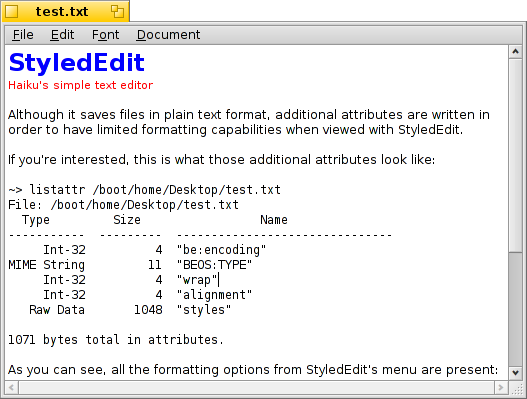
För dig som är intresserad, är det så här de utökade attributen ser ut när de undersöks i Terminal med listattr:
~> listattr /boot/home/Desktop/test.txt
File: /boot/home/Desktop/test.txt
  Type         Size                 Name
-----------  ---------  -------------------------------
     Int-32          4  "be:encoding"
MIME String         11  "BEOS:TYPE"
     Int-32          4  "wrap"
     Int-32          4  "alignment"
   Raw Data       1048  "styles"

1071 bytes total in attributes.
Som du kan se finns alla formateringsalternativ i StyleEdit med: radbrytning (på/av) och justering (vänster/centrerad/höger), i var sitt attribut. Formatering av enskilda tecken (teckensnitt, storlek, färg) sparas tillsammans i ytterligare ett attribut.
I vilket fall är det trevligt att kunna använda text i olika storlekar, färger och teckensnitt, och ändå ha en ren textfil. En ReadMe.txt, till exempel, är därför läsbar via ett terminalfönster på vilken plattform som helst, och har ändå lite stil när den öppnas genom ett dubbelklick i Haiku.
Actually using StyledEdit is so simple, we'll skip explaining every mundane menu item. Just write down your text then select the words you'd like to format and apply a typeface from the menu, and size, color and style from the menu. Line wrapping and alignment from the menu only work on the whole file.
A click on the info area at bottom left corner opens a navigation menu similar to Tracker windows. A handy means to open other text files, especially those in the same folder as the currently open document.